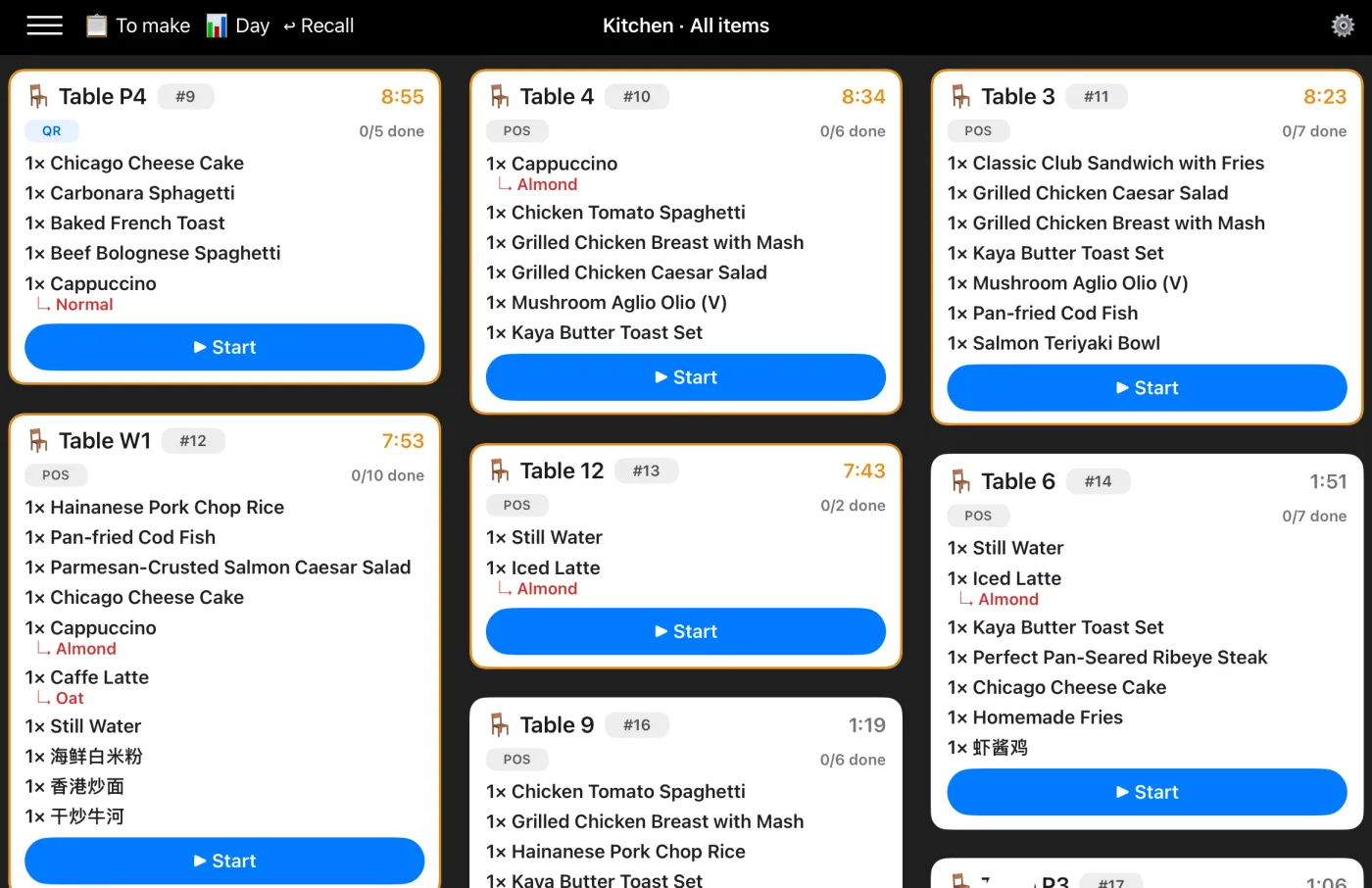
Keep fulfilment calm and organised. Orders ring up on your iPad POS and appear instantly on a separate web order board — with clear statuses and automatic refresh, so prep, kitchen and pickup stay in sync.
The order board runs in any browser on a second screen — a spare iPad, a laptop or a monitor in the back. It pulls live from the same Shopways iPad POS your team already uses at the counter.
A cashier takes the order on the iPad POS — whether paid by cash, card or PayNow. It appears on the board the moment it's saved.
Each order shows its items and status. Prep and kitchen staff see what's new, what's in progress, and what's ready — without crowding the till.
Mark an order complete and the board refreshes automatically. Nothing gets missed, nothing gets shouted across the counter.
Trying to ring up the next customer and track what's still being made on one screen is how orders slip. Shopways splits the two — the iPad stays a fast till, the board handles the queue.
Orders appear the instant they're saved on the POS — no manual tickets to print or carry.
The board updates itself, so the team always sees the current queue without tapping anything.
New In Progress Ready — everyone reads the same board the same way.
A spare tablet, laptop or wall monitor in the back — no special KDS hardware to buy.
A wrong order, a cancellation, or a no-show? Take it off the board with a proper void — not a silent delete that quietly throws your numbers off.
The order board isn't a separate product. It's part of the same Shopways iPad POS that runs your QR menu, stamp rewards and QR payments.
New to Shopways? See how it compares as an iPad POS, or why simple systems win for small F&B.
Explore more: iPad POS · Stamp Rewards · Blog