A Restaurant POS Built for Table Service

Run your whole dine-in floor on one iPad. Lay out your tables, seat a party with covers, fire to the kitchen, and settle at the table — service charge and GST handled automatically. Built into the Shopways iPad POS, free in every plan.

Included in every plan • iPad POS for Singapore restaurants & cafés
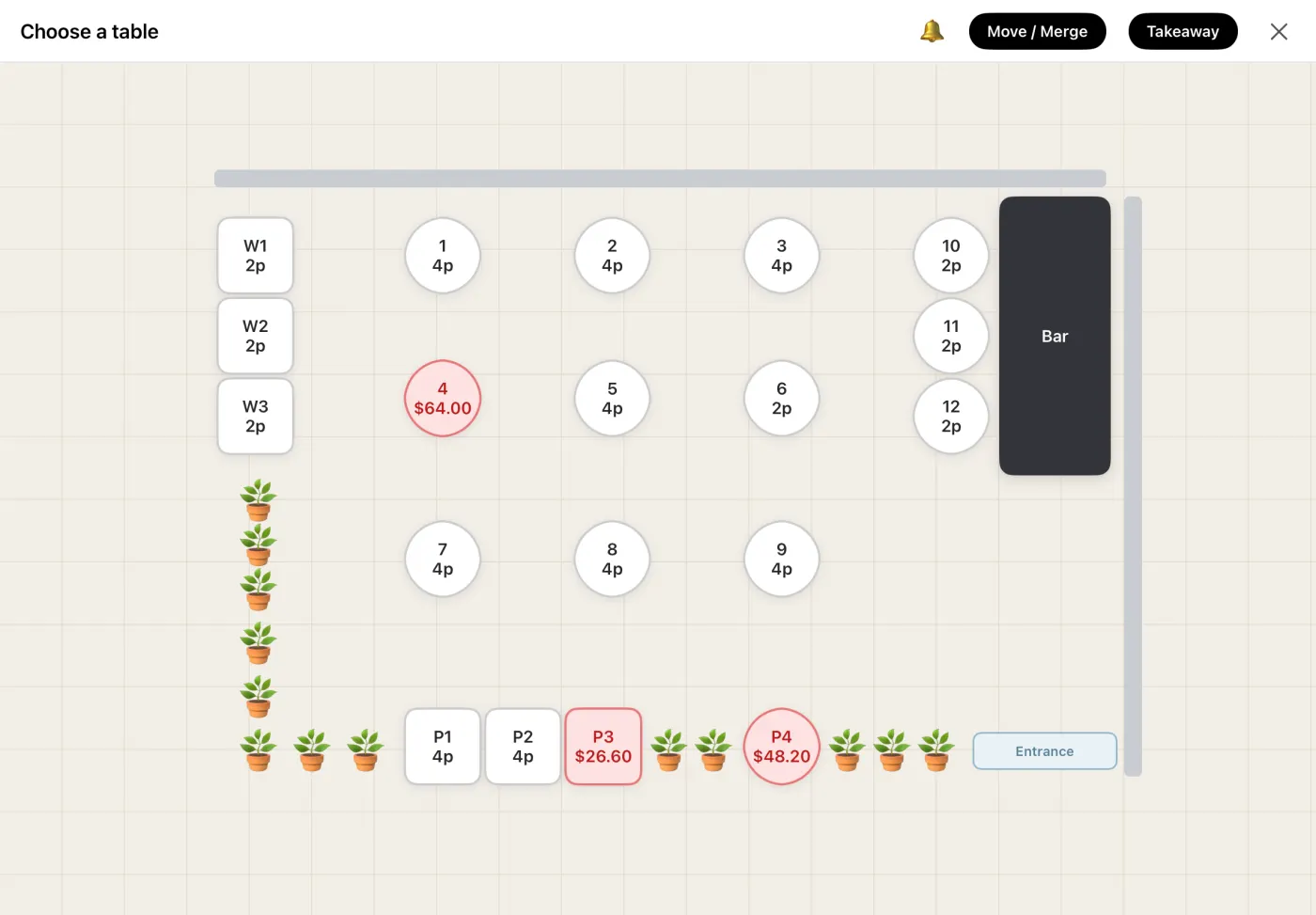
Shopways iPad POS floor plan — restaurant tables with seat counts and zones

How Table Service Works

Three steps, one iPad — seat, serve and settle without the paper chaos.

1. Lay out your floor

Drag round and square tables onto a visual map and set seats and zones — your real layout, on screen.

2. Seat & fire to the kitchen

Open a table, set the covers, and send the order to the kitchen board first. Service charge applies automatically in dine-in mode.

3. Settle at the table

Pull the table back to pay — PayNow, card or cash — with service charge and GST split cleanly on one receipt.

Run the Whole Floor, Not Just the Till

A floor plan that matches reality

Round and square tables, zones like window, patio or level 2, and seat counts — your actual layout, not a list of numbers.

Cook first, settle later

Fire the order to the kitchen before anyone pays, then settle when the meal ends — no pay-first friction for dine-in.

Let guests order to the table

Print a per-table QR — diners scan and order, and it lands on the same board as one running tab.

One bill, one history

A table's tickets merge into a single receipt — service charge and GST split cleanly — with POS and online orders in one archive.

Covers & service charge

Set the pax when you seat a table; the 10% service charge applies automatically in dine-in mode and 9% GST is itemised correctly on the bill.

One iPad, both modes

Table service runs on the same iPad as your counter — flip between dine-in and quick service anytime, with no extra hardware.

Table Service Included — No Extra Subscription

Dine-in and table service are part of every Shopways plan — one flat S$88/month, alongside the iPad POS, live order board, food-cost tracking and loyalty. No add-on, no per-feature upsell.

Get Started

Table Service — FAQ

No — it runs on the same iPad POS as your counter. Switch on dine-in mode to unlock the floor plan, covers and service charge.

Yes — print a per-table QR from the POS and guests scan to order; it appears on the same board as a running tab. Or staff take the order on the iPad. Either way it's one bill at the end.

Yes. In dine-in mode the 10% service charge applies automatically, and 9% GST is itemised correctly on the receipt — split cleanly, not lumped together.

It suits any dine-in F&B — restaurants, bistros, bars, and cafés with table seating. Running a counter instead? See our F&B POS guide and the best restaurant POS in 2026.