iPad POS That Feels Built for Your Café or Restaurant

Shopways turns a single iPad into your café or restaurant's main till – from morning open to closing Z-report. Take orders fast, print receipts, accept PayNow & SGQR, and keep everything in sync with QR Menu and digital stamp rewards.

Why Run Your Café on an iPad POS?

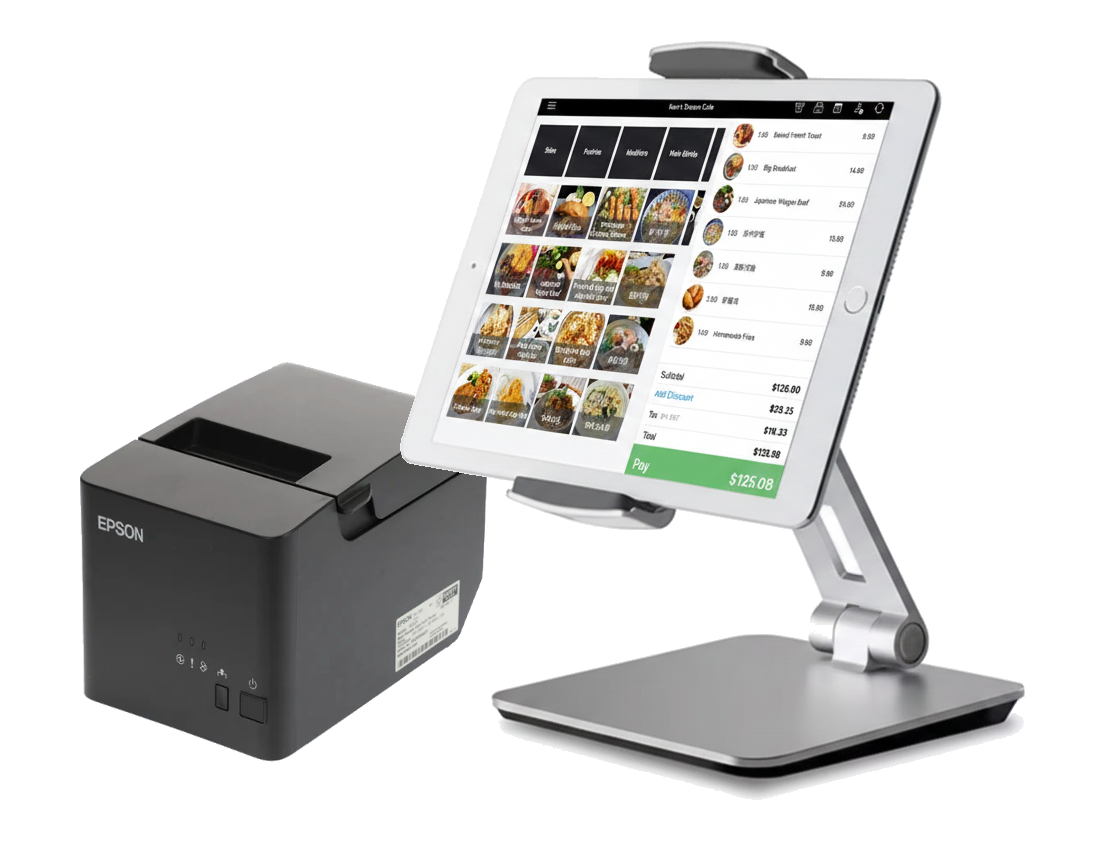
Instead of bulky terminals and long contracts, Shopways keeps things simple: one iPad, one printer, one clear subscription. Perfect for cafés, kiosks and small retail spaces that don’t need a “big restaurant system”.

Fast & Familiar

Your team already knows how to use an iPad. Tap, scroll and search – no awkward training or old-school interfaces.

Offline-Ready by Default

Wi-Fi dropped? Orders still go through. Shopways syncs to the cloud when the connection is back.

Made for QR-First Cafés

Connect iPad POS to QR Menu, SGQR/PayNow and stamp rewards – so your customers and staff get a consistent experience.

From Open to Close on One iPad

08:00 – Open & set float

Staff clock in, check the cash drawer, and the iPad is ready in a few taps – no rebooting terminals or waiting on updates.

09:00 – Morning coffee rush

Queue of customers? Quickly tap favourites, modifiers and milk options. Printed receipts go straight to the counter or bar.

12:30 – Peak lunch hour

Use QR Menu so customers can decide before reaching the till. Each paid order can also add stamp rewards automatically if you turn it on.

15:00 – Mid-day reporting

Check sales, top items and staff performance through the dashboard — insights help with staffing and prep for the evening crowd.

16:00 – Stock check & menu tweaks

Mark items as sold out, update prices or hide certain SKUs. QR Menu and POS both reflect the same product list.

22:00 – Close & daily report

Close the day, see total sales, payment breakdown and top items – then export or review from the web dashboard later.

23:00 – Sync & backup complete

Shopways securely syncs your day’s data to the cloud and generates insights for tomorrow — no manual exports or paperwork needed.

Why Choose Shopways iPad POS
Your Setup, Simplified
  • 1× iPad (9th/10th gen works well)
  • 1× Epson LAN thermal printer (e.g. TM-T82 series)
  • Optional: Cash drawer connected to printer
  • Stable power & basic internet (for sync and QR payments)
  • Shopways account to tie everything together

That’s usually enough to run a café: POS, receipts, QR Menu, PayNow and digital stamps – all centered around your iPad.

Designed for the Owner, Friendly for the Team

For Owners & Managers
  • Know daily numbers without logging into complex backends.
  • See payment mix: cash, PayNow, card (via your setup).
  • Track which hours and items actually perform.
  • Adjust menu, prices and availability anytime.
  • Optionally enable digital stamp rewards for repeat customers.
For Baristas & Front of House
  • Big buttons, clear categories and simple search.
  • Fast order entry during rush without mis-taps.
  • Clear order summary before confirming payment.
  • Receipts that show QR for menu or rewards if enabled.
  • Less time fiddling with the POS, more time with customers.

Dine-In & Table Service

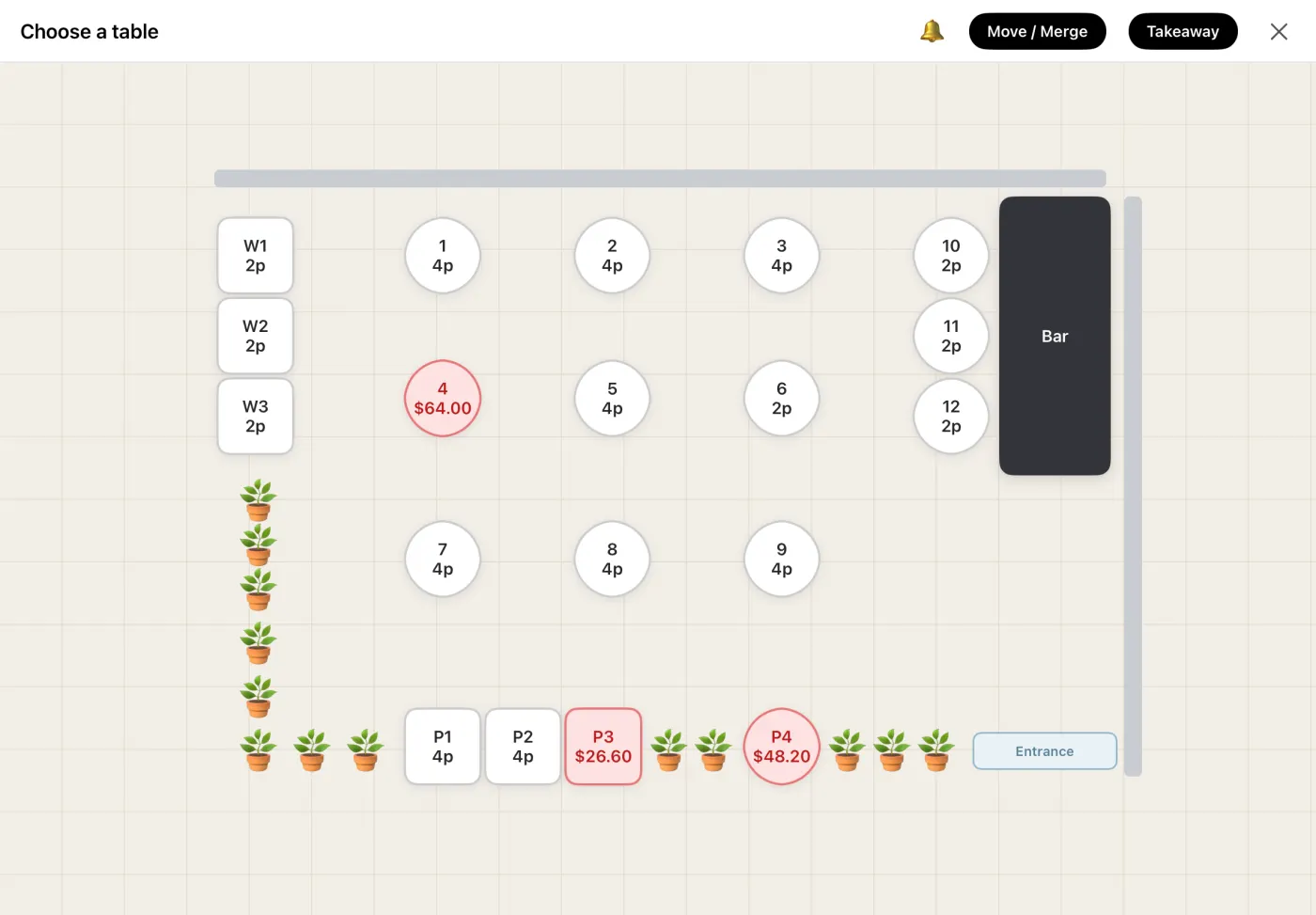
Run a full-service floor on the same iPad. Lay out your tables, seat guests, fire to the kitchen, and settle at the table — with service charge handled automatically.

Shopways iPad POS floor plan with cafe tables, seat counts and live occupancy
  • Design your floor plan. Drag round and square tables onto a visual map, set seats and zones — your real layout, on screen.
  • Seat with covers. Open a table and set the pax; in dine-in mode the service charge applies automatically.
  • Fire to the kitchen first. Send the order to the board before paying, then pull it back to settle when the meal ends.
  • Let guests order to the table. Print a per-table QR — diners scan and order, and it lands on the same board as one running tab.
  • One bill, one history. A table’s tickets merge into a single receipt — service charge and GST split cleanly — with POS and online orders in one archive.
Set up table service

Stamp Rewards, Built Into Every Sale

No separate loyalty app, no plastic cards. Switch it on and every paid order quietly builds a customer's stamp balance — right inside the same iPad POS your staff already use.

  • A stamp per sale, automatically. Each paid order adds a stamp to the customer's phone number — staff don't punch cards or scan anything extra.
  • Redeem in one tap. Pull up any customer to see their live balance and full history, then redeem the reward at the till in a single tap.
  • Balance on the receipt. The running stamp count prints on every receipt, so regulars always know how close they are to the next reward.
  • No app, no login, no cards. Customers just give a phone number — nothing to download, nothing to lose.
See how stamp rewards work

Part of the Shopways Platform

iPad POS is the heart of Shopways. Around it, you can plug in QR Menu, digital stamp rewards, SGQR & PayNow payments – all under one account.

iPad POS QR Menu Stamp Rewards SGQR & PayNow Offline Mode
Get Started with iPad POS

Already have an iPad? You’re 80% ready. Talk to us if you need help with printer setup.

iPad POS – FAQ

Shopways iPad POS can continue taking orders offline if your café Wi-Fi goes down. Internet is required for syncing data to the cloud, QR payments, and accessing web reports – but basic order-taking still works without it.

We recommend current or recent base iPad models (9th or 10th generation) running iPadOS 15 or later. They’re affordable, fast enough for daily café use, and widely available in Singapore.

Shopways supports Epson LAN thermal printers such as the TM-T82 series, which are common in cafés and retail. The printer connects via your local network; your iPad and printer should be on the same Wi-Fi/router.

Yes. Many cafés use the same iPad for music, social media or simple browsing when not taking orders. We recommend keeping Shopways on the home dock so staff can switch back quickly during rush hours.

No. Shopways runs on iPads you can buy yourself and supports standard Epson printers. Subscription is month-to-month – no hardware rental contracts or proprietary terminals.

Yes – digital stamp rewards are built in, not a separate app. Switch it on and each paid order adds a stamp to the customer's phone number; staff see the live balance and redeem in one tap, and the running total prints on the receipt. See how stamp rewards work.

Yes. Switch on dine-in mode to lay out a floor plan, seat tables with covers, and apply a service charge automatically. Staff can fire an order to the kitchen first and settle later, or guests can scan a per-table QR to order — a table’s tickets then merge into one receipt and one history entry.